
Everyday examples
Find the small thing you are waiting for.
A missing file, an unclear revision, a promised reply or something you said you would send. Start with the situation—not a software category.
7-day trial for genuinely new accounts, or a 30-day trial with a valid active Referral ID. View access and pricing.
When someone owes you an input
A freelancer may be waiting for logo files. An accountant may need one missing statement. Name the exact item, rather than writing “client work pending.” Keep the files themselves in the appropriate external channel.
A useful Follow-up tells you what to ask for and what would resolve the request. If some inputs arrive, update what remains instead of treating the whole request as finished.
When work needs a decision
An approval, a clarification and a revision are different situations. “I saw the draft” is not necessarily “Please proceed.” Capture the decision you need in words that will still make sense when you return next week.
Consultants can track which recommendation a client needs to choose. Agency account managers can keep their own client feedback Follow-ups visible without claiming that SaathKaam replaces a shared project workspace.
When you owe someone the next move
A promise made after a call belongs on Your turn: send an estimate, check a detail, share a confirmation or prepare a revised draft. A planned action is a reminder of your intention, not proof it happened.
A proposal sent elsewhere may need a later conversation. A payment promise may need an update from accounts. Track the specific next step; SaathKaam does not create proposals, collect money or automate chasing.
Several Follow-ups can belong to one Person
One person may owe you a document while you owe them a confirmation. Keep those as separate Follow-ups when they have different outcomes, turns or dates.
Avoid one giant title such as “Everything for Nisha.” A focused record is easier to review, update and mark Done without hiding another unfinished commitment.
Try the model
Send the delivery confirmation
After a call, you tell Nisha you will confirm the delivery arrangements once you have checked one detail.
Synthetic scenario. Names, work and checkpoints are fictional.
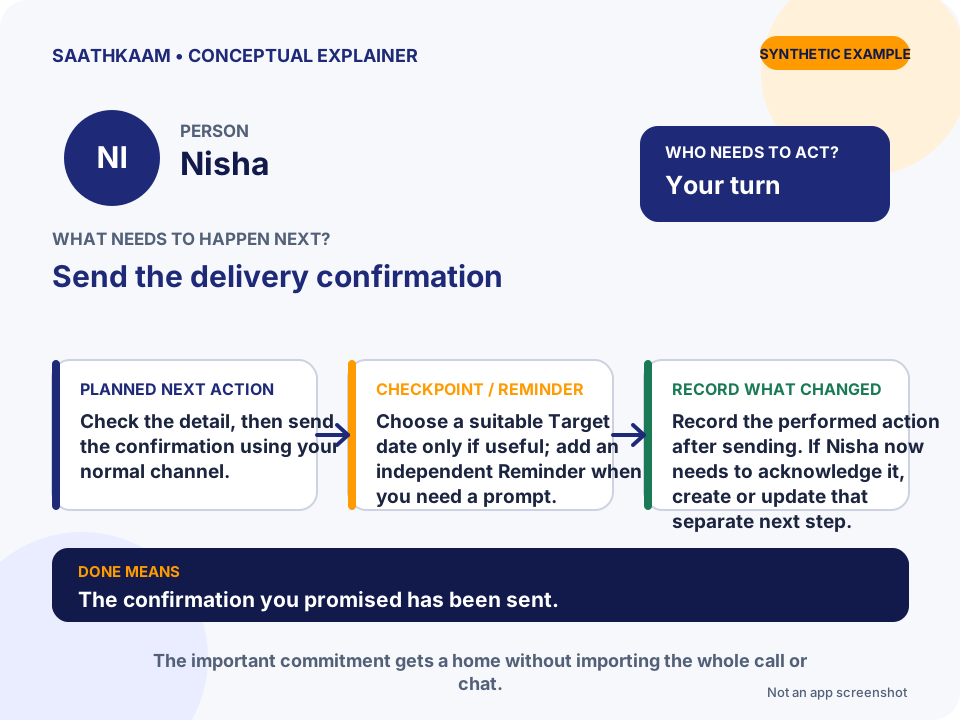
- Who
- Nisha
- Follow-up
- Send the delivery confirmation
- Whose turn
- Your turn
- Planned next action
- Check the detail, then send the confirmation using your normal channel.
- Target date / Reminder
- Choose a suitable Target date only if useful; add an independent Reminder when you need a prompt.
- What changes in the Timeline
- Record the performed action after sending. If Nisha now needs to acknowledge it, create or update that separate next step.
- What Done means
- The confirmation you promised has been sent.
Choose one unfinished interaction.
Think of someone you are waiting for—or a promise you still need to keep. Add that Person and one clear Follow-up. Leave optional details until they are useful.
Try SaathKaam on Web