
Approval follow-up
“I saw it” is not the approval you were waiting for.
Capture the decision needed to proceed. Keep your follow-up message separate from the client’s actual answer.
7-day trial for genuinely new accounts, or a 30-day trial with a valid active Referral ID. View access and pricing.
State the decision you need
An approval Follow-up should identify the draft or decision clearly enough for you to ask a useful question. Keep the authoritative draft and review conversation in the existing review channel.
Ask whether the client is ready to proceed or needs a specific change. Do not treat silence, a viewed message or a friendly acknowledgement as consent to proceed.
Keep the action and the result separate
After you send the follow-up email, use Record action to record what you did. When the client responds, Record outcome captures the decision or the remaining question.
If the client requests a change, the next step may become Your turn. If that request is unclear, keep a separate clarification on Waiting on them before doing unnecessary work.
Give the decision a sensible checkpoint
Use the date you agreed with the client, or a date when you want to review the situation, as the optional Target date. A separate Reminder can help you remember to check.
Review the existing conversation first. Your follow-up should identify the actual decision needed, rather than repeating “Any update?” without context.
A record of your Follow-up, not a proofing portal
SaathKaam does not host document versions, collect signatures or certify legal approval. You record the result manually; it does not observe the client's inbox or actions.
Mark this Follow-up Done when the specific decision is resolved. Other delivery or revision work may still have its own next step.
Try the model
Approve the final brochure draft
Arjun has received the brochure draft by email. A friendly reply says he has seen it, but it does not say whether you can proceed.
Synthetic scenario. Names, work and checkpoints are fictional.
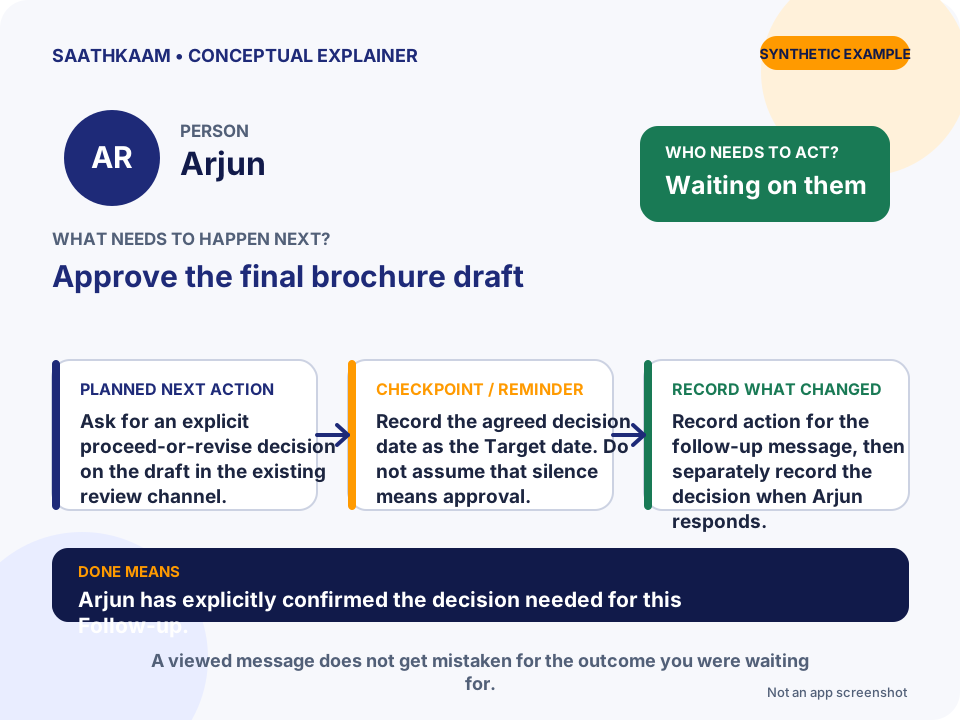
- Who
- Arjun
- Follow-up
- Approve the final brochure draft
- Whose turn
- Waiting on them
- Planned next action
- Ask for an explicit proceed-or-revise decision on the draft in the existing review channel.
- Target date / Reminder
- Record the agreed decision date as the Target date. Do not assume that silence means approval.
- What changes in the Timeline
- Record action for the follow-up message, then separately record the decision when Arjun responds.
- What Done means
- Arjun has explicitly confirmed the decision needed for this Follow-up.
Choose one unfinished interaction.
Think of someone you are waiting for—or a promise you still need to keep. Add that Person and one clear Follow-up. Leave optional details until they are useful.
Try SaathKaam on Web