
Payment follow-up
Remember the promised update—not just “payment pending”.
Keep the person, the last useful response and the next checkpoint together. Your invoices and transactions stay in the tools that handle them.
7-day trial for genuinely new accounts, or a 30-day trial with a valid active Referral ID. View access and pricing.
Check the facts before contacting someone
Review your invoicing or payment system first. If you are waiting for an update from accounts, describe that update in the Follow-up rather than assuming a payment failed.
A promise to check an invoice and a promise to pay it are different. Record the actual commitment and who needs to act next.
Let the reply change the next step
If the person needs another copy of the invoice, sending it belongs to you. If they need time to check with accounts, record the new checkpoint and remain Waiting on them.
Record action when you make contact through your usual channel. Record outcome when you receive an update. The Timeline helps you avoid asking the same question after it has already been answered.
Decide what this Follow-up is meant to resolve
A Follow-up titled “Get the accounts update” can be Done when that update arrives. A Follow-up titled “Confirm payment received” should stay open until you have checked receipt in the appropriate system.
Do not use a Done label in SaathKaam as independent proof of payment. It is your record of the Follow-up outcome, not a bank or payment-provider confirmation.
No automatic chasing or money movement
SaathKaam does not create invoices, collect client payments, send payment demands or provide debt-recovery services. It keeps the next step visible for you to carry out.
A reminder prompts your own attention when supported and enabled; it is not an email or WhatsApp message automatically sent to the client.
Try the model
Check the promised payment update
You sent Kavya an invoice using your invoicing tool. She said she would check with accounts on Thursday. You need the update, not another invoice.
Synthetic scenario. Names, work and checkpoints are fictional.
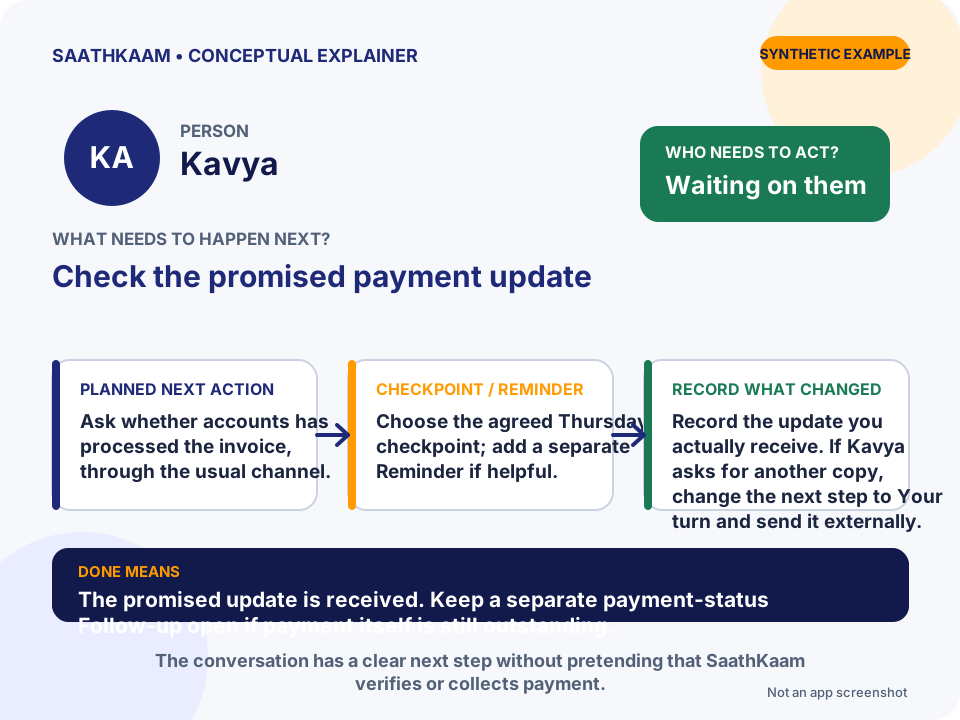
- Who
- Kavya
- Follow-up
- Check the promised payment update
- Whose turn
- Waiting on them
- Planned next action
- Ask whether accounts has processed the invoice, through the usual channel.
- Target date / Reminder
- Choose the agreed Thursday checkpoint; add a separate Reminder if helpful.
- What changes in the Timeline
- Record the update you actually receive. If Kavya asks for another copy, change the next step to Your turn and send it externally.
- What Done means
- The promised update is received. Keep a separate payment-status Follow-up open if payment itself is still outstanding.
Choose one unfinished interaction.
Think of someone you are waiting for—or a promise you still need to keep. Add that Person and one clear Follow-up. Leave optional details until they are useful.
Try SaathKaam on Web